tweetindex
PT

SIMANTO

@AIWithPRO · United States · joined 30 Jan 2026

Helping ambitious Founders & CEOs build personal brands on X | AI tools + growth strategies | DM For Paid Promotion or Mail 💌 simanto.collabmail@gmail.com

27 591Followers
131Following
6 857Posts total
1.4MViews on collected posts

Posts recentes

🚨 CHATGPT CAN NOW HELP TEACHERS CREATE PROFESSIONAL GRAPHIC DESIGNS FOR ANY SUBJECT. These 10 prompts help you create lesson visuals, educational posters, worksheets, flashcards, infographics, classroom displays, learning materials, and more, with polished, classroom-ready https
1.5K views · 60 likes · 45 reposts · 21 replies Open on X →
@AIWithPRO Great share 14 views · 0 likes · 0 reposts · 0 replies Open on X →
One more thing: check your battery before blaming tracking. Go to: Settings → Battery Look at: Which apps used the most battery Whether background activity is unusually high Whether one app suddenly jumped to the top Whether the phone is indexing after an update A sudden battery 146 views · 0 likes · 0 reposts · 0 replies Open on X →
5/5 — Analytics & Improvements Go to: Settings → Privacy & Security → Analytics & Improvements Turn off sharing options you don’t want to participate in, such as: Share iPhone Analytics Share iCloud Analytics Improve Siri & Dictation These options are separate from location 124 views · 0 likes · 0 reposts · 1 replies Open on X →
4/5 — Significant Locations Go to: Settings → Privacy & Security → Location Services → System Services → Significant Locations Review the setting carefully. If you don’t want your iPhone maintaining a history of places that matter to you, you can turn it off. Apple says this 45 views · 0 likes · 0 reposts · 1 replies Open on X →
3/5 — App Tracking Requests Go to: Settings → Privacy & Security → Tracking Turn off: Allow Apps To Request To Track This does not make you invisible online. It simply prevents apps from requesting permission to track your activity across other companies’ apps and websites. 55 views · 0 likes · 0 reposts · 1 replies Open on X →
2/5 — Background App Refresh Go to: Settings → General → Background App Refresh Turn it off for apps that don’t need to update when you’re not using them. You can disable it completely or keep it enabled only for essential apps. This may help reduce unnecessary background 66 views · 0 likes · 0 reposts · 1 replies Open on X →
1/5 — Location Services Go to: Settings → Privacy & Security → Location Services Review every app. Change unnecessary apps to: Never Ask Next Time Or When I Share While Using The App Also check which apps have Precise Location enabled. If an app doesn’t need your exact 168 views · 1 likes · 0 reposts · 1 replies Open on X →
APPLE DIDN’T TURN YOUR IPHONE INTO A TRACKING DEVICE. But after a major iOS update, some privacy, location and background-activity settings are worth checking manually. Not because Apple “secretly reset everything”… But because updates, app changes and system services can affect
1.7K views · 78 likes · 60 reposts · 15 replies Open on X →
My ex and I had a joint account for three years. I put in 800€ a month, she put in 1,200€. The day we broke up, before talking about anything else, she asked me something I wasn't expecting: "How much do you think I've put in extra over three years?" 884 views · 2 likes · 0 reposts · 1 replies Open on X →
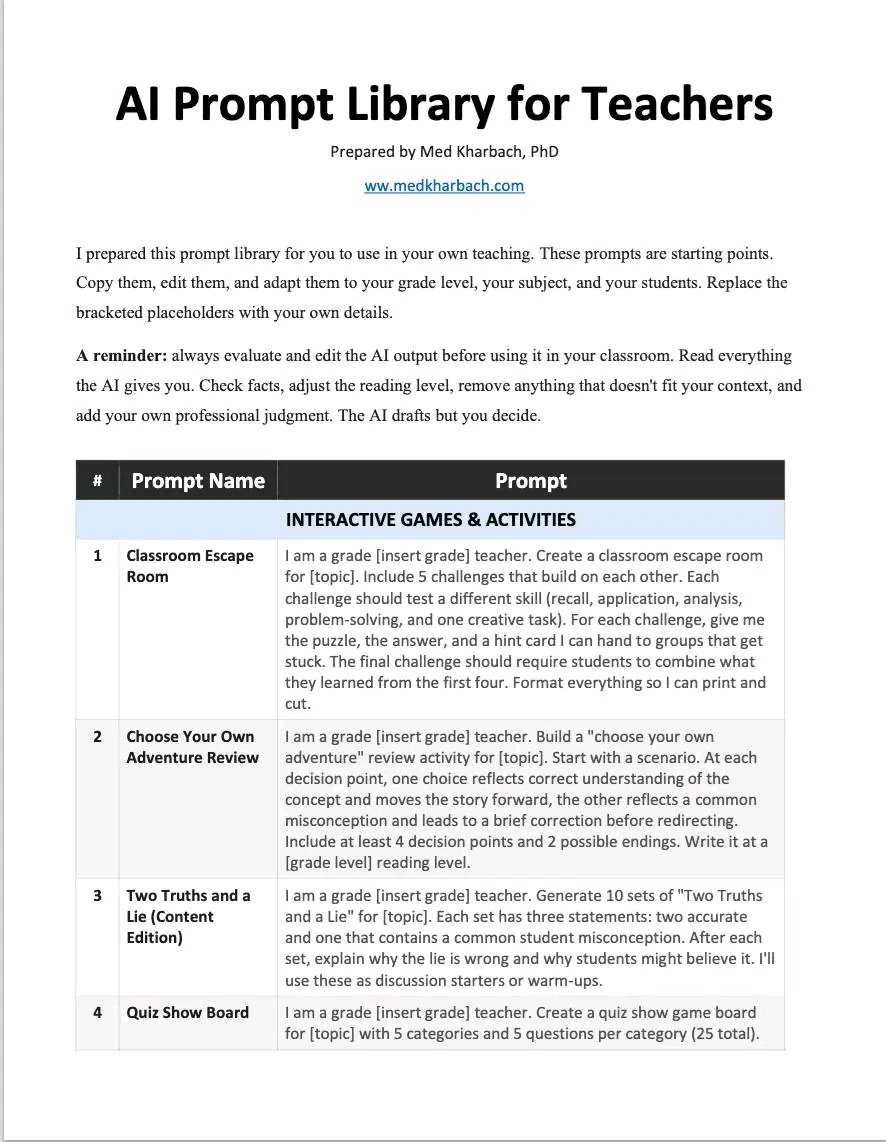
Prompt engineering is still an important skill. As a teacher, the quality of your prompt shapes, to a great extent, the quality of the output you receive from AI. There are many prompt formulas out there, from the CLEAR framework to the CRAFT framework. These can be useful, but
771 views · 9 likes · 3 reposts · 1 replies Open on X →
@AIWithPRO 100% https://t.co/7TMhz2Mqc1
GIF
9.9K views · 67 likes · 0 reposts · 1 replies Open on X →
5/ Let It Be the One Who Applies This is the craziest part. Paste into ChatGPT: "Apply to 500 jobs with the highest match scores. Customize each application based on the job description." ChatGPT will handle everything while you sleep. 42.3K views · 32 likes · 2 reposts · 3 replies Open on X →
4/ Creating Job Application Spreadsheet They'll find everything that matches, then tidy it up for you. Paste into ChatGPT: "Open LinkedIn and Indeed, find all the job postings that match this title from the last 7 days, and make me a spreadsheet with the links, match scores, 50.9K views · 24 likes · 1 reposts · 1 replies Open on X →
3/ Turn On Agent Mode This is the trick to make everything run smoothly. Tap: the "+" sign next to the chat box -> turn on Agent mode. Now ChatGPT can open LinkedIn and Indeed on its own, not just talk about it. 62.9K views · 30 likes · 1 reposts · 3 replies Open on X →
2/ Creating a Master Resume Still in the same chat. This is going to be the main template that you can tweak in seconds. Paste into ChatGPT: "Rewrite my resume into a master template that I can tailor instantly. Use the Google XYZ formula, and remove all red flags that hiring 75.9K views · 44 likes · 2 reposts · 1 replies Open on X →
1/ Find 20 Job Titles that are the most suitable for you Upload your resume to ChatGPT first, then run this. Paste into ChatGPT: "Act as a senior recruiter. Based on my resume, list 20 job titles that I'm most qualified for, along with the exact keywords that are usually 78.9K views · 134 likes · 9 reposts · 1 replies Open on X →
I got bored and told ChatGPT to apply to 500 job openings for me. Woke up, phone's blowing up—12 interview calls within 24 hours. This is the prompt I used: 1.1M views · 2.6K likes · 291 reposts · 68 replies Open on X →

Em comparação com contas do mesmo porte

18 posts dos últimos 90 dias, ao lado da faixa de 10K–100K seguidores. alcance comum para o seu porte, reação mais fraca que a maioria.

Mediana de visualizações1 177esta conta955mediana para 10K–100K
Alcance, %4.27%esta conta3.52%mediana para 10K–100K
Engajamento, %0.51%esta conta1.56%mediana para 10K–100K
MétricaEsta contaMediana para 10K–100KProporção
Mediana de visualizações por post1 1779551.23×
Alcance (visualizações ÷ seguidores)4.27%3.52%1.21×
Taxa de engajamento0.51%1.56%0.33×

Outras contas desta faixa →   Comparar com outra conta →   Como estas referências são construídas →

Growth & engagement

How the posts we collected actually performed: views and reaction rate post by post, what the audience did with them, and where the follower count goes.

Views per post

50.9K26 Aug
42.3K
9.9K
7715 Sep
8846 Sep
1.7K
168
66
55
45
124
146
147 Sep
1.5K

Last 14 collected posts, oldest on the left. The scale is logarithmic: one post can outrun the rest a hundred times over.

Engagement rate per post

0.05%26 Aug
0.09%
0.69%
1.69%5 Sep
0.34%6 Sep
8.88%
1.19%
1.52%
1.82%
2.22%
0.81%
0.00%
0.00%7 Sep
8.57%

Reactions — likes, reposts, replies and quotes — divided by views. Median for 10K–100K accounts is 1.56%.

What the audience does

Likes29.2%3 052 in total
Reposts4.0%414 in total
Replies1.2%121 in total
Quotes0.1%15 in total
Bookmarks65.5%6 848 in total

Share of every reaction we collected for this account. Replies mean argument, reposts mean endorsement, bookmarks mean the post was worth keeping.

The follower curve appears once this account has two daily snapshots — we take one a day, and this one is on its first.

Contas semelhantes